
 Phase 1 · Win 10 minutes
Ask what you're missing
Pill 1.4 · Quick win · The AI proposes what you hadn't thought of; you choose and sign off
Read the full story
The scene
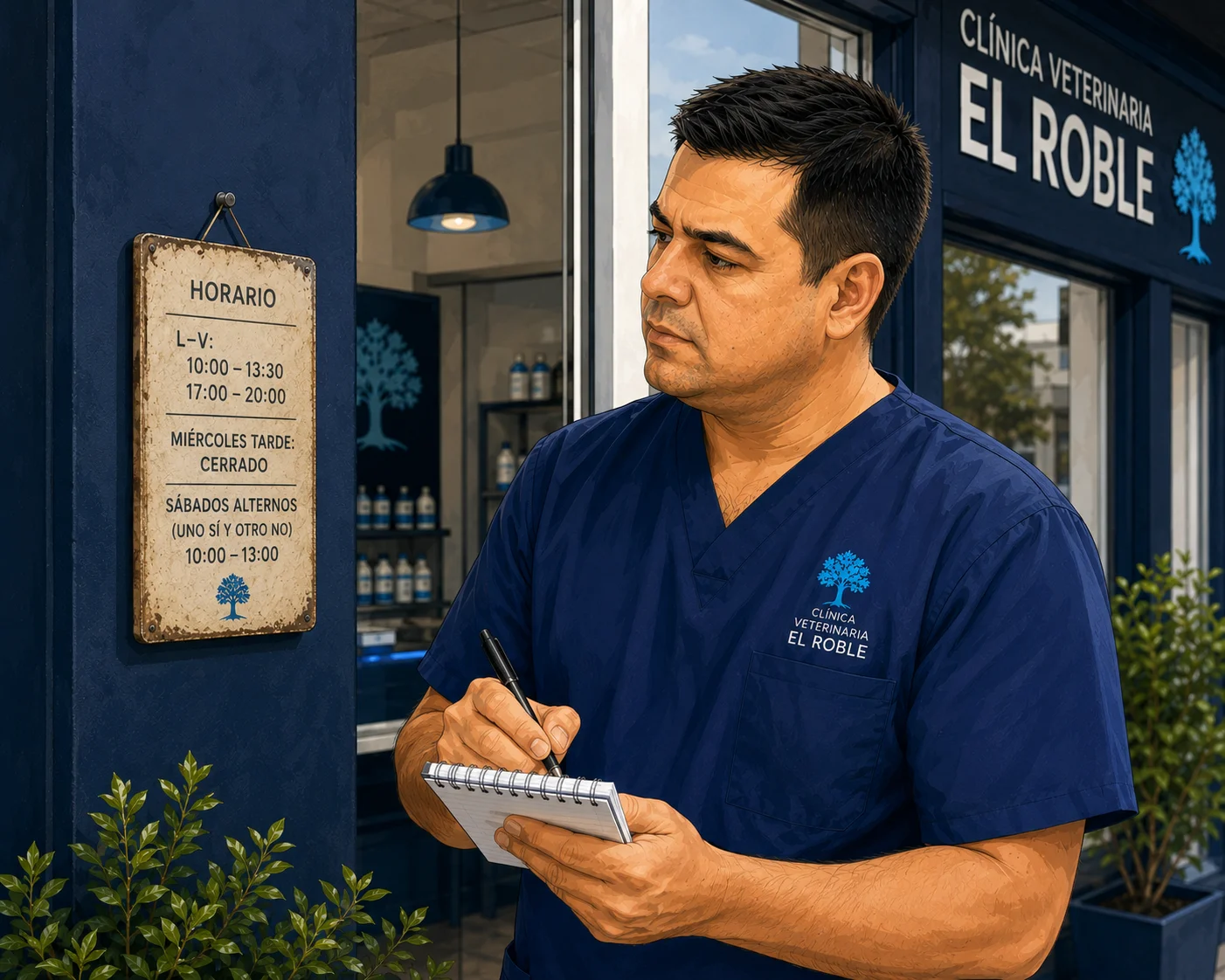
Half past nine, before fully opening up. El Roble smells of the old coffee maker, and the light comes in through the window on Olmos Street and settles on the room: on the cork board with photos, on the worn-out scale, on Roble — with his notched ear — watching from the shelf with that indifference of someone who has seen it all.
The new hours were decided together last week, during the morning briefing, with the coffee going cold. The neighbourhood isn't what it was twenty years ago: young families have been moving in, people who finish work late and, if they need to choose a vet, the first thing they do is search on their phone. The traditional midday break no longer made sense, and the alternating Saturdays — one open, one closed — were such a muddle that even the team couldn't remember without checking the calendar. So they simplified it to the clearest, most human option: continuous hours, ten to half past seven, Monday to Friday. Come at any time, and the weekend belongs to everyone. Good call.
Now it has to be communicated. Diego steps outside and looks at the sign on the front of the building. His first instinct is handyman mode: a new sign, clean and up to date. And almost in the same movement it becomes clear. A small sign at the entrance or on the wall is only seen by whoever is already there or has walked in. What about the person who shows up next Saturday with their dog because "they used to open some Saturdays"? The sign inside won't help that person.
The nudge
Diego sits with the doubt, which is how he starts. It's not a problem of writing well — anyone can put four lines together. It's a problem of not forgetting anyone: each person finds out through a different channel, and he doesn't have the full list in his head. Don Ramón would never open a WhatsApp in his life. Nube's owners found them through Google. And there's always someone on a channel that doesn't occur to you until it's too late.
So he does what he does when something isn't just tightening a screw: he takes notes and, as he has learned, tells the whole situation to the AI to use as an assistant. He takes out his phone. No fuss, same as everything he does. This is where the real question comes from: "I'm changing our hours to this, for this reason; how do I get the word out so nobody only half-hears it? Tell me what we'd need before writing anything. Here are my notes." The person who makes sure things work knows that one good first question saves three headaches later.
The everyday task
It's not just this schedule change. It's the bank holiday notice, the August closure, the vaccination campaign, the occasional "closing early today." Every now and then there's something to communicate properly and across several channels at once, to people who find out in different ways. And the hard part is almost never writing the message: it's remembering every channel and every person before the oversight costs you — in the shape of a client standing at a closed door.
Whoever learns to ask the AI "what am I missing?" stops discovering the forgotten channel when it's already too late to fix. And for a neighbourhood clinic that lives on people knowing you're there and trusting that you are, that's not a detail: it's part of caring.
The unlock
Don't just ask the AI for what you already knew you wanted. Tell it your situation — who you are, what you're changing and why, and who you need to reach — and ask it an open question: "how do I communicate this properly? What am I missing?". Paste your four rough lines as they are: let it work with what you actually have. A tool that has "seen" a thousand clinics announce a thousand changes will suggest exactly what wasn't in your head. And then you choose.
It's two moves. First ask — let it propose, before writing anything. Then execute — from what it proposes, keep what fits and ask it to get everything done in one go.
And here's the skill: frame the question or you'll get twenty generic ideas — ask for the three or four most useful ones for a neighbourhood clinic, and why; and the judgement of what applies is yours — don't open a new channel just because the machine suggests it. The AI proposes and drafts it for you; you choose, adjust the details and sign off. This time, the draft and the adjustments aren't just about the text: they're about the plan. It tells you where to go and gets you started; the judgement of what to do, and the sign-off, are yours.
 6:26
6:26Audio in Spanish · subtitles in English, Spanish and Portuguese.
The change, in action
See it with the real case. Diego didn't write a long text: he passed along his four rough lines, as they were, and asked for the reply in a short table, to take it in at a glance:
NEW SCHEDULE — need to give notice
Before:  Mon-Fri 10-13:30 and 17-20 · Wed afternoon closed · alternating Sats
Now:     Mon-Fri 10:00 to 19:30 straight through · no Saturdays
From:    Tuesday 1 September
Why:     work-life balance + clients can come at any time, no lunch break
Emergencies: same phone number
Notice: WhatsApp group · sign for the clinic
Note: not everyone reads WhatsApp (don Ramón and older clients) → SMS? email?
What else? → ask
What the AI sent back wasn't a text: it was a plan, ordered by priority.
| # | Channel | Why (in their words) |
|---|---|---|
| 1 | Physical sign at the door, reception and counter | Many people find out when walking by; a small sign only inside won't be seen by those who come outside opening hours |
| 2 | WhatsApp + SMS to key clients | WhatsApp doesn't reach everyone; older clients — don Ramón, regulars, those on medication, follow-ups — are better reached by SMS or a call |
| 3 | Google / Maps (+ website and social media) | "This one gets missed all the time": if Google still says "open Saturday" or "closes at midday", there will be unhappy clients even if you gave notice on WhatsApp |
| 4 | Phone, calendar and team | Make sure everyone says the same thing, and review appointments already booked on Saturdays |
And a final point Diego hadn't thought of: make a risk list of who might not get the message — older clients, those without WhatsApp, regulars, pet food pick-ups, those who used to come on Saturdays — and send those people a direct notice. That's where you avoid the unpleasant surprises.
The sign Diego already had in mind is first on the list — good instinct — but it turns out it's one of four. And he pauses at number three: the Google one hadn't occurred to him. He was thinking about reaching the people he already knows; Google is what anyone who isn't a client yet sees — and, as the AI itself says, the one where everyone makes the most mistakes. He was thinking about keeping clients; he was reminded about attracting new ones.
He keeps what fits (no social channels he doesn't run, no gimmicks) and asks for the second move: to get everything drafted, and the steps to update Google. The AI drafts it all in one go — the sign, the WhatsApp message, the SMS, the email footer — and gives him the up-to-date Google steps, which it checked against the official source because that screen changes often. The WhatsApp message came out like this:
Hi 😊 We wanted to give you advance notice of a change to the clinic's opening hours.
From Tuesday 1 September, our hours will be:
Monday to Friday, 10:00 to 19:30 — continuous, no lunch break closure.
Saturdays: closed.
The change helps us maintain a better work-life balance and means you can come in at any time during the day.
For emergencies or important queries, we're still on the same number: [your phone number].
Thank you 🙂
And the sign for the door:
NEW OPENING HOURS
from Tuesday 1 September
Monday to Friday: 10:00 – 19:30  (continuous hours, no midday closure)
Saturdays: closed
Emergencies and important queries: [your phone number]
The form came from the machine; the substance came from Diego. He checked it said 10:00 to 19:30 and the right phone number, removed what was unnecessary, and sent the WhatsApp himself. He updated Google himself, step by step. The AI proposes, drafts and reminds you of what you'd miss; the details, the clicks and the sign-off are yours.
Do it yourself in 4 steps
- Open ChatGPT / Gemini / Claude (in the video we use ChatGPT) and start a new chat.
- Give it your situation and ask openly: tell it what's going on or paste your rough notes, and ask it to propose before writing — "how do I communicate this? What am I missing?"
- Pick from its list what fits your clinic (and discard what doesn't) and ask it to draft everything you've chosen, each one tailored to its channel.
- Keep your own judgement: check the details (the time, the dates), remove anything unnecessary, and give the final approval. Everything that touches the real world — updating Google, sending the WhatsApp, putting up the sign — you do yourself.
Diego's tip: the first question isn't "write me X"; it's "what would you do and what am I missing?". And you don't need anything fancy: four rough lines, pasted as they are, and the AI works with what you actually have. That said, the details — the time, the date, the phone number — you always check yourself.
The prompt · copy it
1) The open question (with your notes):
Here are my notes (pasted below). I'm [your role] at a neighbourhood
veterinary clinic and we're making a change: [what's changing and from when],
and we're doing it because [the reason].
I need to communicate it properly and don't want anyone to only half-hear it.
Before drafting anything: how would you communicate this? Tell me the most
useful channels and actions for a neighbourhood clinic — including the things
that usually get missed — the 3-4 most important ones and why each one. In a
short table.

[paste your notes here]
2) The execution (getting it to draft what you choose):
Perfect. From what you've proposed, keep: [list what you're going with].
Draft each one for me, ready to use, in British English:
- Clear, warm and neighbourhood-friendly, no fluff.
- Each one with the right length and tone for its channel (WhatsApp short
  and warm, the sign readable at a glance, the Google text brief…).
Keep exactly the details I give you (schedule, dates): don't change
any of them. If you spot an error, flag it instead of correcting it yourself.
Go one step further: leave nothing behind
Two finishing touches the AI itself will give you if you ask, and they're worth their weight in gold:
- The old hours sweep. Ask it for the list of everywhere the old hours might still be showing: the website, Instagram/Facebook, the email signature, the voicemail, appointment reminders, WhatsApp Business, local directories… That's the oversight that shows up three months later, when someone turns up on a Saturday because "it said open online".
- Keep the list ready for next time. Ask it to summarise "who to notify and through which channels" in a short list. Save it, and the day of the bank holiday or the August closure you won't be starting from scratch: you'll have your own channel checklist ready to go.
Before → Now
An afternoon writing the same notice in different ways — and even then, the following Saturday, someone standing at the door because the channel they relied on slipped your mind.
10 minutes: you pass along your notes, ask what you're missing, choose from what it proposes, it drafts everything at once, you check the time and send it. And the real win isn't the text: it's that nobody gets left out.

Before you start
- The AI proposes and drafts; you choose and sign off. It advises on what to do and gets the texts ready for you, but the details — the time, the date — you check yourself, and everything that touches the real world — updating Google, sending the WhatsApp, putting up the sign — you do yourself. The AI doesn't update your listing or send the message for you.
- The judgement of which channel to use is yours. Don't open a new channel just because the AI suggests it: stick with what genuinely fits your clinic.
- This is for general clinic communication — hours, notices, changes, campaigns. Anything involving a specific patient's or client's data is a different matter; we'll cover that when the time comes.
- Works on free plans (with a daily usage limit). Requires an internet connection: it's processed in the cloud.
Video transcript · Diego's case — ask ChatGPT what you're missing when announcing a change
So, this is what Diego did to solve his situation. He went to the notes app on his phone, where he'd already jotted down, very briefly, what he had written in his notebook, as you can see here. He selected everything, copied it, and headed over to ChatGPT. And he creates a new chat. In this new chat, we dictate the instructions. I'm an assistant at a neighborhood vet clinic and we're going to change our opening hours. I have to let everyone know, and I don't want anyone to get only half the message. Before writing anything, I'm asking you how you would communicate it. Tell me the most useful channels and actions for a neighborhood clinic, including what usually slips through the cracks.
The 3 or 4 most important ones, and why for each. Do it as a short table. I'm going to paste my notes. As always, remember it's always better to dictate — it's much faster. And now we paste in what he'd written down: the new hours, the old hours, the new terms, from when, why, emergencies, that he'd thought of announcing it through the WhatsApp group, putting up a sign in the clinic, and he wasn't sure whether Don Ramón and the older clients actually read WhatsApp, and whether in that case an SMS or an email would be better — and what else to ask about. Here he goes and sends it. Alright, we've got the plan. The trick was the open question: "what am I missing?"
And here's the plan, as we said. First it talks about the physical sign, at the clinic, and it tells us to put it up in different spots. It also suggests WhatsApp and SMS for key clients. SMS aimed more at regulars who aren't very tech-savvy. In third place, it puts working on the whole digital channel: the Google profile, the website, social media — and it gives this a lot of weight, especially Google, because it's particularly important when people look up the clinic on Google Maps, or when it's a new client. It also mentions the phone channel and the email channel, where what it suggests is a bit more passive.
Changing the voicemail greeting if we have one, adding signatures to emails, to reminders, so that we're constantly reminding clients about what we're changing. Remember: from September 1st we're changing our hours.
And finally, it also recommends making an emergency list of clients who are harder to reach through these channels, regulars who often come in on Saturdays — where maybe a direct contact, which could be a phone call, would be needed. So, well, we've got some ideas — and as you saw, some new ones we hadn't considered, like the Google one, which, as we said, is really important. In this case there are four or five, but if there had been more, we could have narrowed it down — or, if we're missing any, we can ask for it. What we're going to do next, to get it all finished, is ask ChatGPT to help us finish the plan, so we send it again.
Next: summarize the plan into blocks and write all the texts for the signs, the WhatsApp, the SMS, and a shared reminder for email footers and appointment reminders. It also explains, in detail and up to date, the steps to update the hours on Google. So, there's the message; we send it, and with whatever comes back, what Diego would finally do is go over the whole plan, adjust it, validate the texts, and once we have them, he'll simply copy the messages and paste or set them into the email footers, or open the Google listing and change the hours by hand. The AI gets it all started for us and reminds us of what we'd missed, and the judgment and the sign-off are the vet's.
So here you have the plan, very quickly: the block, the action and when to do it — and the texts, the goal, so, the plan; and here we have the texts for each of the sections we asked for, which we can go ahead and copy, paste, and so on. So, well, I hope this has helped you, we'll also put it in the pill so you have all the texts and all the details that came up.