
 Phase 2 · You do more than write now
Search further, but check who publishes it
“The house notebook” series (2 of 5). Hugo searches for sources, Sara asks who writes them and who pays for them, and the team decides what goes into its notebook.
Pill 2.6 · Series «The house notebook» (2 of 5) · Finding sources on the web and keeping the trustworthy ones KYBERVET Academy · Clínica El Roble · Phase 2: Make it work, not just answer · Video · 16:06

There are excellent, free guidelines on handling a frightened cat in the consulting room, written by feline medicine societies. The problem is finding them among everything else.
Ask a tool for sources and in ten seconds you have ten: the 2022 guidelines, the outdated 2011 version, a pet food brand’s blog and a study funded by the laboratory selling the product it studies. They all look good.
At El Roble, Hugo imported them all. Sara asked who had written each one.
 16:06
16:06Chapters · 16:06
- · The case and the first source
- · Check what was imported
- · Quick search
- · The source table
- · The filter
- · Deep research
- · What we take away
Clínica El Roble is a fictional educational case.
The full story · Clínica El Roble
The scene
Friday, mid-morning. Coffee in plastic cups, the shutter halfway down and the sign on Olmos Street still lit.
Yesterday afternoon Brisa came in for the first time, a three-year-old cat. She arrived in a carrier that does not come apart, and there was no way to get her out without reaching inside. Diego held her so Hugo could listen to her chest, Brisa fought back, and in the end they booked another appointment. Diego has a plaster on his forearm. Nobody has mentioned it.
Marta sets her cup on the counter.
— I want us all to handle cats the same way. From the moment someone calls to book an appointment until they leave. And I don’t want it to depend on who’s working that day.
She knows there are guidelines for this. The feline medicine societies have published them for years, in English and free of charge, and she has skimmed a few. What she doesn’t have is time to put them together for four people.
— There’s a module on that in my course — says Hugo. — I’ll make you a notebook this afternoon.
— Make sure it’s useful to Sara too — says Marta.
Sara doesn’t look up. On the shelf behind the counter there is still the little sample box the sales representative left on Thursday, with a folded leaflet on top: a product for cats’ anxiety during a visit.
Roble is sleeping on his back on the index-card box. He lets anyone touch him.

The push
At 20:10 Hugo is still at reception, using the counter computer. He started with the safe choice: the two societies’ 2022 guidelines, as a PDF, the one from the course. He clicks it and the whole thing is there, all forty pages. He also tried adding it through the website link, and got a page full of links without the guidelines inside. He deleted that one.
Then he asks the tool for sources. He types «cat friendly handling in the veterinary consulting room» in Spanish and gets ten in a few seconds. He repeats it in English and gets another ten. He imports them all. Two turn red: behind them was a PDF requiring verification before allowing access. He opens them, downloads the PDFs and uploads them by hand.
Sara is balancing the till with her coat on. Hugo turns the screen towards her before she asks.
— Twenty-two sources in five minutes.
Sara comes closer and reads the list slowly. There are guidelines, journals, a pet food brand’s blog, two student dissertations. Halfway down the list she stops and looks at the shelf.
— This is the stuff in the little box.
It is a study of a drug for cats’ anxiety, and the product name is the one on the leaflet.
— And who pays for this? The people selling it?
Hugo opens his mouth and closes it again. He doesn’t know. And there are twenty-two.
The task
Hugo doesn’t argue. He pastes a long request into the chat: a table of every source, who writes each one, what type it is, what year, what brands it names and who pays for it. With one condition: if it isn’t stated, «not stated», without inferring it.
The table appears in a couple of minutes. Sara clicks the number in the study’s row and the notebook takes her to the paragraph: the sponsor is the laboratory selling the drug. Then she clicks the 2022 guidelines’ row. The authors received no funding to write them, and the programme publishing them has sponsors, including several laboratories.
— So the good one has sponsors too.
— But nobody paid them to say anything — says Hugo.
— Right. But it’s worth knowing.
The notebook has grouped the sources by topic without being asked. Hugo removes the pharmacology ones in one go: that is the vet’s decision, and it doesn’t belong in a notebook for the whole team. For everything else he gives it the criteria he would use by hand (duplicates, brands, blogs, student work, material that isn’t about handling) and asks it to suggest what stays.
It gets almost everything right. It wanted to keep the website copy of the guidelines and discard the PDF, and Hugo reverses that. It also finds two sources that had been imported without errors but were empty: verification screens with no text inside. Anything uncertain goes into «review», and Sara takes those. An undated page, out. The society’s programme page, also undated, in, because it comes from the people behind the guidelines. Hugo saves the table as a note in the notebook, so there is a written record of why each source was removed. Eleven remain.
Sara already has her scarf on when Hugo launches one more Deep Research search, this time with a tightly defined brief: cats only, handling only, no drugs. It takes four minutes and returns a several-page report and twenty more sources, all selected for import.
— And who wrote that? — asks Sara, meaning the report.
— The AI.
— Put it on the shelf, then, with the little box.
Hugo deselects the report, which he keeps to read, and manually chooses the sources he doesn’t already have.
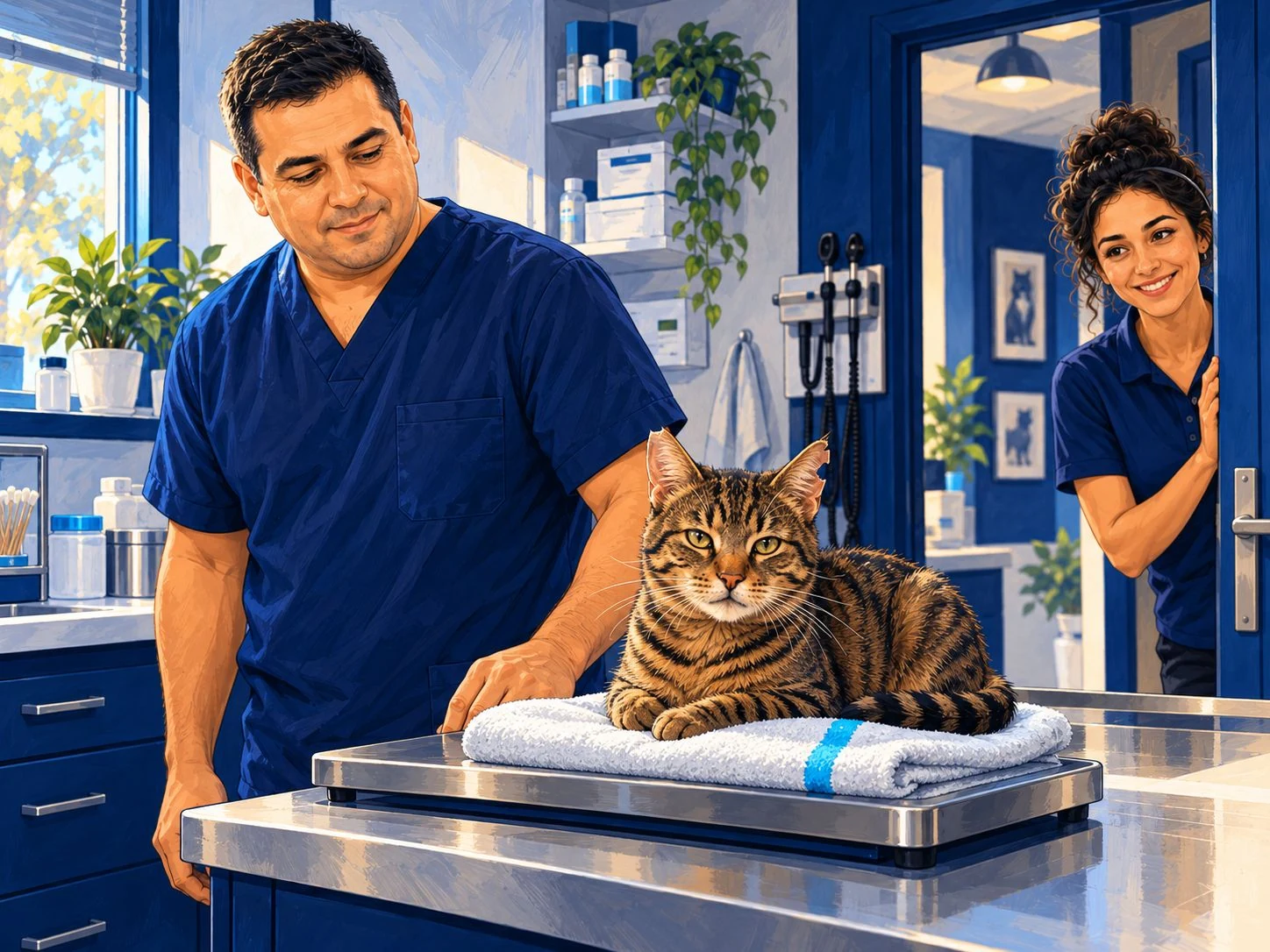
The following morning there is a folded towel on the scales in the consulting room. Nobody says who put it there. Diego walks past with the plaster on his forearm and says nothing. Roble is the first to climb onto it.

The unlock
If this is your first time opening Gemini Notebook, start with the «What is Gemini Notebook?» video in pill 2.5.
One. Click the source before trusting it. An uploaded PDF is imported in full. A link can come in without any error and bring only the website’s front page, a menu or a verification screen: what you see in your browser is not what the notebook reads. Clicking the source name in the left-hand panel shows the text it actually contains. The red ones have not been imported. If one interests you, open it, download the PDF and upload it.
Two. Search quickly and let a table do the filtering. Fast Research brings back about ten sources in seconds. In Spanish, mostly advice for caregivers, blogs and the occasional brand; in English, more science, but also old versions and copies of the same document. The line under each one is written by the tool, and sometimes offers an opinion («official guidelines»). Decide based on who publishes it.
The real time saving comes afterwards. Ask the notebook for a table of its own sources (who writes each one, what type, when it was published, what brands it names and who pays for it) and in a couple of minutes you have something that would take hours by hand. Then give it your criteria and it suggests what stays. You click the decisive «yes» entries, resolve the «review» entries, save the table as a note and delete. With five or more sources, the notebook groups them by topic automatically, and removing an entire topic takes one click.
Three. Deep Research brings back more, along with a report that is not a source. It takes about four minutes and returns around twenty cited sources, about as many uncited ones and a several-page report. The more tightly you define the brief, the better: cats only, handling only, no drugs. When it finishes, everything is selected for import, including the report. The report was written by AI: read it, but deselect it. If it becomes a source, the notebook will end up citing AI as though it were a guideline.
An example from our test. The report said that «more than 90% of caregivers» suffer when they see their cat’s stress. The 2022 guidelines say that, in a survey of more than a thousand caregivers, 88.7% of cats were distressed at some point during the visit. It sounds similar, but it is not the same claim.
What came out of El Roble
Hugo’s notebook went from twenty-two sources to eleven. This is what was removed, and why.
| Reason | What was removed |
|---|---|
| Copy of another source | The 2022 guidelines via a website link (the PDF stayed) |
| About drugs | A study of an anxiolytic funded by the laboratory selling it, and a dissertation about another drug |
| Not about handling | Dentistry guidelines |
| Published by someone selling a related product | A pet food brand’s page and a manual’s sales listing |
| A clinic’s blog | A clinic’s handling protocol |
| Student work | An undergraduate dissertation and a master’s dissertation |
| Imported empty | Two repository pages requiring verification and a digital library menu |
| Review, then out | A hospital page discussing restraint devices and an undated article |
Among those retained were: the 2022 guidelines as a PDF, a 2026 position statement from the American feline medicine association on respectful handling, a university study of what stresses cats during an examination, a practical five-step article, a 2025 review in Spanish, an article from a Spanish professional journal and the international society’s cat friendly clinic programme page.
The tool suggests. You decide what stays.
Do it yourself in 4 steps
- Start with a good source, as a PDF. Create the notebook (at
notebook.google.comor in «Notebooks» within Gemini), upload the PDF and click it to check that it has been imported in full. - Search and clean up. In «Search for new sources on the Web», using «Fast Research», search for your topic in Spanish and English and import. Remove the red ones from the three-dot menu with «delete all sources with errors». If one interests you, download its PDF and upload it.
- Ask for the table and the filter. Paste the source table prompt into the chat, followed by the filter. Click the «yes» entries in Brands and Money, decide the «review» entries, save the response as a note and delete the surplus.
- Top up with Deep Research. Enable «Web» and «Deep Research» below the chat and paste the brief. When it finishes, switch off «Select all», deselect the report, manually select what you don’t already have and import.
The source table · copy it
Make a short table of all the sources in this notebook, so it can be read at a glance.
One row per source, with these columns:
Source: short name, no more than six words.
Who writes it: the organisation or lead author, no more than six words.
Type: just one of these: guideline, scientific article, conference paper, professional journal, society website or leaflet, student work, clinic blog, brand, other.
Year.
Brands: those it sells, advertises or recommends by name, or «none».
Money: who paid for the document and who sponsors the website or programme where it appears, no more than ten words. If the source states there was no funding, write «no funding».
Sort by type, in the order listed.
No bold text or line breaks inside cells. If a title contains the | symbol, remove it.
Use only the text of each source, not its bibliography or references.
In Brands and Money, include the citation for the paragraph where that name appears. If no paragraph states it in those words, write «not stated». Do not infer it.
The filter · copy it
Using the table above, decide which sources stay in this notebook.
The notebook is for training the whole team at a clinic (reception, veterinary assistants and vets) in cat friendly handling in the consulting room.

Exclude if any of these apply:
1. It is a copy of another source in the notebook. If one copy is an uploaded PDF, keep the PDF; otherwise, keep the publisher's copy.
2. It is about drugs, doses or treatments. That is the vet's decision.
3. It is not about handling, the clinic environment or communication with the cat or caregiver.
4. It is published by a business selling related products, or is a clinic's blog.
5. It is student work.
6. The notebook contains a newer version of the same document.
7. It does not contain the document text: only a front page, a menu or a verification screen. If the title suggests it might be useful, put «recover the PDF» in «Watch out».

Review if it has no author, no date, or if you are uncertain.
Keep everything else. A programme having sponsors is not a reason to remove it: note it in «Watch out».

Return a table with these columns: Source, Decision (keep, review or exclude), Reason (the criterion number or a short phrase) and Watch out.
First the sources to keep, then those to review, and finally those to exclude.
Finish with a line giving the count.
Base this only on each source's text. If you don't know, «review».
Change the second sentence to your notebook’s topic and audience. The criteria work for almost any training topic.
The Deep Research brief · copy it
Search the web for reliable sources on cat friendly handling in the veterinary consulting room, to train the whole team: reception, veterinary assistants and vets.
Cats only. Handling, the clinic environment and communication with the cat and caregiver only.
No drugs or doses: that is the vet's decision and does not belong in this notebook.
I want guidelines from scientific societies, peer-reviewed articles and university material, preferably from 2020 onwards. If there are several copies of the same document, bring me only the publisher's copy.
I don't want shops, brands or blogs without an author.
Before → Now
Before. An afternoon opening links one by one, checking who signed each one, and still ending up with the 2011 guidelines inside and an unseen study funded by the people selling the product.
Now. Half an hour for searching, the table, the filter and Deep Research. Eleven sources where you know who writes them, who pays for them and when they date from, and a note in the notebook explaining why each of the others was removed.
Before you start
- Always click the source. A source can be imported without errors and still be empty. And if you have the same one twice, keep the PDF.
- The descriptions and report are written by AI. Read them, but don’t cite them. What matters is what the source says.
- The table makes mistakes too. A citation may not say what the cell claims. You don’t have to check everything: click the «yes» entries that decide whether a source stays.
- «Not stated» means the source doesn’t say it. It may still exist. If it matters, look for it yourself.
- Sponsorship is not advertising. Almost every serious programme has sponsors. Note it and carry on: what counts is who writes it and whether they are paid for what they say.
- Drugs and doses, out. They do not belong in a notebook for the whole team. That is the vet’s decision.
- To review sources, use the chat. Studio’s «Data Table» also reads each source’s bibliography and returns hundreds of rows without citations.
- Better ten trustworthy ones than fifty. The free account allows up to 50 sources per notebook. At El Roble they use the clinic’s paid account.
- The buttons will change. Clicking the source, asking who writes it and who pays for it, and deciding for yourself what goes in will remain the same.
Next week · 2.7 · Let it test you. Hugo studies with this notebook, in Spanish with sources in English. And Amparo arrives.
Supporting material
Official English-language document, 40 pages. AAFP (United States) and ISFM (international). The authors declare no funding for writing the guidelines; the programme has sponsorship. Sponsorship alone does not mean a study is invalid. Link to the SAGE publisher page; PDF access is managed there. We do not host a copy of the guidelines.
Tool output retained for review, not for importing as a source or treating as a validated guideline. The report claims «more than 90% of caregivers»; the guidelines refer to 88.7% of cats. These are different subjects and claims. PDF derived from the original Spanish report.
Editorial derivative in Spanish, not an official guideline or clinical protocol. Fictional case; do not use real patient, client or account data. Working with local files does not prove local inference or absence of cloud processing. Consult the original sources and warnings before using it.
Video transcript · Search further, but check who publishes it
In today's lesson we'll use Gemini Notebook again and keep getting more out of the tool. Today's idea is simple: you'll see that finding information on a topic takes seconds. What really takes time is deciding which of that information is actually useful. In this lesson we'll expand the notebook by searching the web, and we'll see how to keep only what we can trust. If you've read the story, the clinic wants the whole team to handle a frightened cat consistently, from reception to the consulting room. And if you don't know Gemini Notebook, I invite you to revisit the previous lesson, and we'll put in a link to the previous lesson so you can revisit the concept behind the tool.
The idea is to create a new notebook. Here we've simply created the starting point and named it 'Cat-friendly handling in the consulting room'. We have nothing else, and the first step in any notebook is to add a source. In this case, the first thing I want to show you is a 2022 guideline from two feline medicine societies, the American and the international one. We have it as a PDF, here it is. It's 40 pages, a substantial guideline with plenty of information and so on, and it's very interesting. But if we only uploaded this document, we'd still be roughly at the stage of the previous lesson, where we took a document and used it to analyse it. Let's go a little further.
Today's idea is that we can add that source and keep creating things from there. But let's start with a source. As I said, the idea is to upload the PDF directly, and here it starts loading. When you upload a file, you can rest assured that it normally contains all the information you can see, and the tool will analyse it and read it perfectly. The problem comes later, when we search, because it gives us website links that can be a little problematic. I wanted to show you something. For example, if you give me a second, if I add this source from a website, which is where I downloaded the PDF, it will load it too, and let's see what we get.
Since we already have a reference, while this is loading, which I wanted to show you later, we can do an initial search for sources. We simply come here and ask it to search for supplementary sources. While I'm showing you a detail, I'll load another link to the same article so you can compare them. Well, when we have a source, you can always click it, and you should, to see what it contains. First, is it complete? This is a PDF, as I said, so it's usually fairly reliable, and we can see that it gives us a short summary and then all the content.
Although the images appear and the layout is a little disjointed, the first thing you can see is that it's very long, so you can be sure the complete PDF, with all its images and so on, is in the sources. And I've also added this one, because although, as you'll see, it's another link to the same guideline, again with an abstract, an introduction and lots of information, let's see how this one is recognised differently, and what appears is many more links, without the PDF in the same form. We need to be careful, and you must always check this whenever you use a source: validate it, check the content is correct and that it isn't just a cover page, a header or something similar. Thank you.
What do you think? We'll delete these two sources and keep only the PDF, just to keep one. And now we'll continue searching for new sources to supplement the information. Right, let's search for sources. You search for sources directly in this box. We give it the instruction. Here we'll say we want cat-friendly handling in the veterinary consulting room, and we have it in fast mode, with web searches selected. If we had documents or other material on a drive, we could use that. Here we want web sources. We click, and it runs the search. Well, we have the sources. It's given us all of them here. We could go through them, validate them and so on.
For now we'll import them directly, and then see how to filter them. Let's make the same request in English. While it's loading them, it runs another search. Here we could select them all, pick just a few, see what we want, then click import, and that's it. Here they are in English, and we simply do what we said. We import them, and we have all our sources. Right, once it's loaded, we can see two shown in red, and here it already says they couldn't be uploaded due to a temporary error. Usually 'temporary' isn't temporary: it's permanent. What we can do is, well, try opening them, right, or open the URL. It's usually this sort of situation: we have a PDF, but there's a verification step first.
We can download it, and we could put the study here. We can have problems with downloads, but anyway, that's done. And now we would simply delete the links, by going here to delete the source. We could delete all the ones with errors. We have 19 sources now, and what we could do is upload the PDFs again. Here we are. And that's it. Now let's filter them. Right, the next step, if you agree, is to classify them, using this prompt, which you'll find in the instructions. We'll say: make a table of all the sources in this notebook that we can read at a glance. We have all 22 sources selected. We'll send it, and it will give us a table.
Right, here is the table with, as we requested, each of the sources, who wrote it, what type of document it is, the year, which brands are present, and references to them too. And whether money is involved: it says 'authors without funding'. Well, they haven't received any kind of payment for this. Right, you have all the information. And with this, the idea is that a table saves us time. In a couple of minutes we have the table, and we can look through it. And in a minute or 30 seconds, we can assess each article and check whether it will be useful or not. And if we did this by hand, it would obviously take hours of work.
What matters is that it writes 'not stated' when it doesn't know, rather than making it up. That's why we must always specify these things. We don't need to check everything in depth. We simply need to decide which are most relevant, or which interest us most. For example, we've seen a source from 2025 here. And we've also seen a source even from 2026 that could be interesting, with the latest developments. Well, we could take a look. Just because documents have sponsors doesn't automatically make that document or source a brochure or a sales pitch.
For example, the feline guidelines from the American and the worldwide association have many sponsors, but that doesn't directly determine quality. It doesn't mean it's a poor-quality source, of course. Right, as I said, we have the references, and here we could start filtering manually. We could visit the sources and assess them directly using some of these criteria. For example, here's a study about pregabalin to reduce anxiety in cats. It may be useful, but it isn't really what we're looking for, even if it's a scientific article from 2023 and so on. It says here that it's sponsored by Orion Corporation, and here we have some data confirming it.
And we can click through to the source, where it will tell us. And in the same way, here, OK, we have certain data that we'd need to assess. As this data doesn't... Well, this study won't interest us much either, so we could go to pharmacology and pheromones and say, well, this one... We don't want it, the pregabalin one. Right, not this one either. These three pharmacology sources aren't what we want: we want handling, right. We can also... In this case I've labelled them too, as you saw. There's a way to label them. Directly, and that also makes assessment easier, so we can use it. And simply, as I said, we won't look at these, so we'll delete them. And that's it.
Besides this approach, where the factors we've classified can help us do it, another interesting approach would be to try a prompt directly, asking it to use this table to decide which sources can stay in this notebook. We send it and see what it gives us. Right, here's the table, and it identifies several, several sources that it actually suggests keeping. Why? Although it mentions one with corporate sponsorship, we know it's the official guideline, as we'd already seen, so we can keep it. And we also have a few to review, because they're undated or, well, for whatever reason, due to different factors. We may or may not use them. We'd check them manually here and look them up.
What matters is that you can decide. Here, for example, we have these two: the website and the PDF, so we could remove the website. Right, you choose, and we can somehow remove what doesn't interest us. And, as I said, from here we now have a set of sources we could use. Here we have 11. We can narrow it down further, or as we see fit. Finally, let's try the other type of search, by clicking here on Fast Research; here we switch to Deep Research directly. We'll give it a slightly more in-depth task, where we'll tell it... As you can see, we've first written a more carefully crafted prompt, which we could also have used earlier to find better sources.
This matters too; it's an important lesson. But now let's see the result of Deep Research, rather than a quick search for sources. Right, about four minutes later, Deep Research has finished here, and it gives us a report we can read. It's a report produced with artificial intelligence, so it shouldn't be part of our set of sources. But it's interesting: we can study it, review it and take a look. The point of this part was to show you how the search type changes: it gives us far more sources. Before it gave us 10; now it's 20, plus another 27 it doesn't cite. And it also gives us this fairly long report, which can provide a general summary.
But what matters is basically how a quick search differs from an in-depth search, and that the brief matters: the more tightly we define it, the more it narrows down the information. And that's basically it for today's lesson. We started with a notebook that was empty, added a guideline, tried different searches, filtered the results, and in the end the idea is to keep just a few sources, so that, in the next lesson, we'll use this notebook to work with, and we'll limit it to 15 sources at most, and that's what we'll work with. So, I'll say goodbye, and see you next week.